Best AI Tools for Small Businesses in 2026
Artificial intelligence is no longer just a tool for large companies with dedicated technology teams.
Small businesses can now use AI to write marketing content, analyze documents, research competitors, answer customer questions, summarize meetings, generate images, create reports, write code, and automate repetitive work.
The challenge is choosing the right platform.
The best AI tools for small businesses are not necessarily the tools with the longest feature lists. They are the ones that save employees time, fit naturally into existing workflows, and provide enough value to justify another monthly subscription.
In this guide, we compare some of the strongest AI platforms for small businesses in 2026.
Quick Verdict
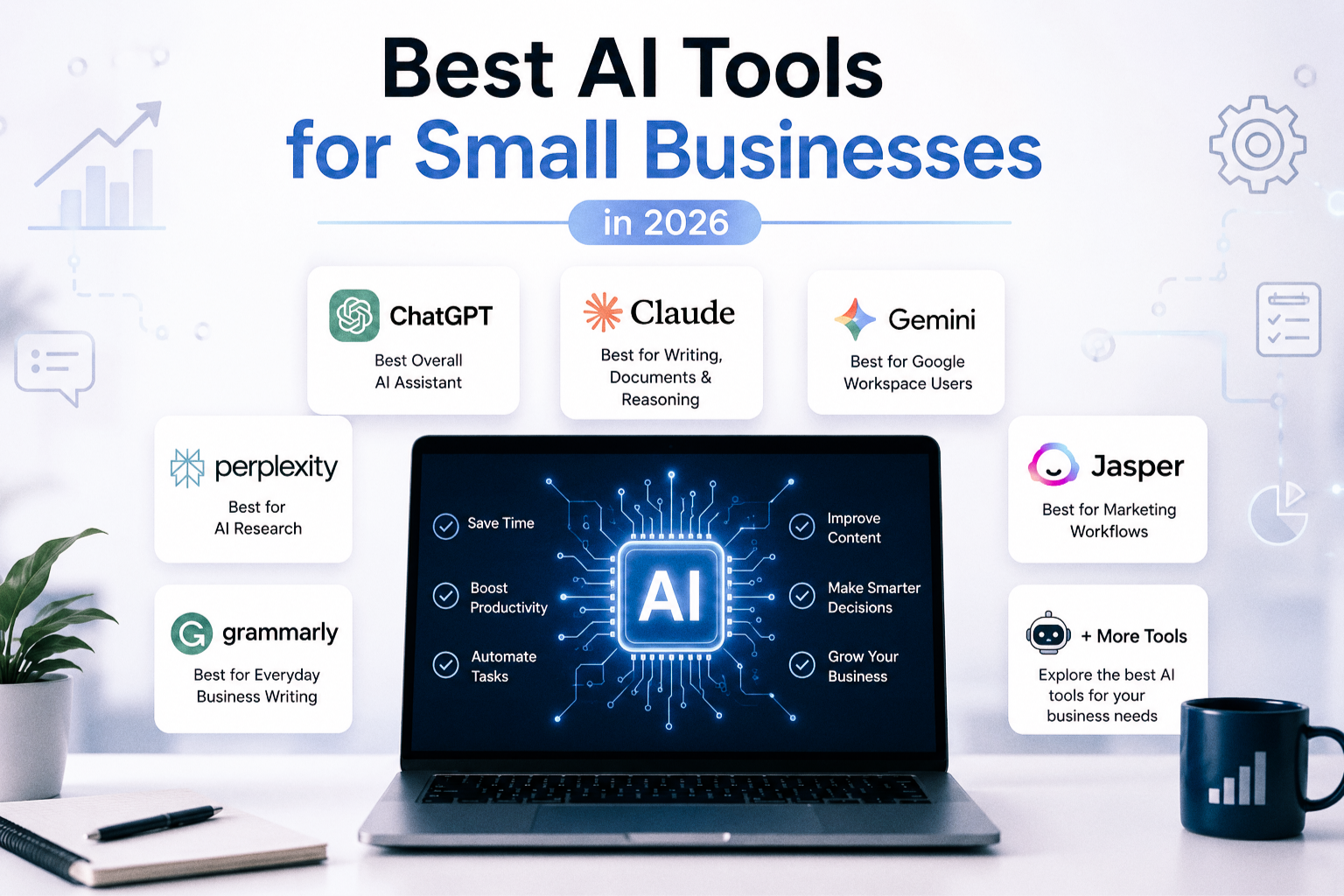
For most small businesses, ChatGPT is the strongest overall AI assistant because of its broad capabilities across writing, research, analysis, coding, files, images, and business workflows.
Claude is particularly strong for long-form writing, document analysis, complex reasoning, and coding.
Gemini is an excellent choice for businesses already working heavily inside Gmail, Google Docs, Drive, and other Google services.
Perplexity is one of the best choices for research-focused workflows where citations and source discovery matter.
The best choice depends on what your business actually wants AI to do.
Best AI Tools at a Glance
| AI Tool | Best For | Free Plan | Business Strength |
|---|---|---|---|
| ChatGPT | Best overall | Yes | Broad business workflows |
| Claude | Writing and complex reasoning | Yes | Documents and coding |
| Gemini | Google Workspace users | Yes | Gmail, Docs and Drive integration |
| Perplexity | Research | Yes | Source-backed research |
| Grammarly | Writing assistance | Yes | Editing and communication |
| Jasper | Marketing teams | Limited/varies | Brand-focused content |
1. ChatGPT — Best Overall AI Tool for Small Businesses
ChatGPT is one of the most versatile AI tools available to small businesses.
It can help employees draft emails, analyze spreadsheets, summarize documents, research topics, brainstorm campaigns, write and debug code, generate images, create reports, and automate multi-step workflows.
That broad range of capabilities makes ChatGPT particularly useful for businesses that do not want to purchase a separate AI tool for every department.
Why small businesses may like ChatGPT
A marketing team might use ChatGPT to create campaign ideas and refine copy.
A business owner could upload a spreadsheet and ask for trends or summaries.
A sales team could use it to prepare outreach drafts.
A developer could use it for coding and debugging.
An operations employee could use it to summarize documents and organize information.
This flexibility is the main reason ChatGPT works well as a general-purpose AI platform.
ChatGPT Business currently starts at $20 per user per month when billed annually, or $25 per user per month on monthly billing, with a minimum of two users. Business workspaces also include centralized administration and business-focused privacy controls.
Potential downside
The number of features can be overwhelming for businesses that only need one very specific use case.
Teams also need internal guidelines explaining which company information may be uploaded and how AI-generated output should be reviewed.
Best for
Small businesses looking for one AI platform that can support multiple departments and workflows.
Related comparisons: ChatGPT vs Claude, ChatGPT vs Gemini, Perplexity vs ChatGPT
2. Claude — Best for Writing, Documents and Complex Reasoning
Claude is a strong alternative for businesses that spend significant time working with text, documents, analysis, or code.
It is particularly useful when employees need to work through long documents, create detailed written material, organize complex information, or reason through multi-step problems.
Claude also provides coding-focused tools and supports business integrations.
Why small businesses may like Claude
Claude often fits naturally into document-heavy workflows.
Consultants can use it to analyze reports.
Writers and marketing teams can use it to draft and edit long-form content.
Technical teams can use Claude Code for development work.
Businesses can also organize work into Projects and connect external tools and services.
Claude’s Team plan currently supports teams of 2 to 150 users. Standard seats cost $20 per user per month with annual billing or $25 with monthly billing.
Potential downside
Businesses mainly interested in image generation or a very broad consumer-style AI ecosystem may prefer another platform.
Usage limits can also vary according to the plan and workload.
Best for
Consultants, content teams, developers, professional services businesses, and companies working with large amounts of text.
Related comparisons: ChatGPT vs Claude, Claude vs Gemini
3. Gemini — Best for Google Workspace Users
Gemini becomes particularly attractive when a business already relies heavily on Google products.
Google integrates Gemini into services such as Gmail, Docs, and other Workspace-related workflows, allowing employees to use AI closer to where their everyday work already happens.
Google AI Pro also includes expanded Gemini access, Deep Research capabilities, cloud storage, and additional Google AI features.
Why small businesses may like Gemini
Switching between tools creates friction.
If employees already spend most of their day in Gmail, Google Drive, Docs, and related Google services, native AI integration can be more convenient than constantly copying information into a separate application.
Gemini can help with tasks such as:
- Drafting and improving documents
- Summarizing information
- Research
- Brainstorming
- Working with files
- Supporting productivity inside Google services
Google AI Pro is currently listed at $19.99 per month in U.S. pricing. Pricing and included benefits can vary by region.
Potential downside
Its biggest advantage is also its main limitation: businesses that do not use the Google ecosystem heavily may gain less from the integrations.
Best for
Companies already standardized on Gmail, Google Drive, Google Docs, and other Google productivity products.
Related comparisons: ChatGPT vs Gemini, Claude vs Gemini
4. Perplexity — Best for AI Research
Perplexity approaches AI from a research and search perspective.
Instead of focusing only on generating an answer, Perplexity emphasizes sources and citations that allow users to investigate where information came from.
That makes it useful for competitor research, market research, product research, and other workflows where businesses need to verify information.
Why small businesses may like Perplexity
AI-generated answers can sound convincing even when they are wrong.
For business research, being able to inspect sources is extremely valuable.
Perplexity Pro expands access to deeper research tools, more citations, file uploads, image capabilities, and multiple advanced AI models.
A business owner researching a new market could use Perplexity to collect initial information and then follow the cited sources.
A marketing team could research competitors or industry trends.
A content team could use it during the research stage before producing an article.
Potential downside
Perplexity is more specialized than general-purpose assistants such as ChatGPT.
Businesses primarily looking for workflow automation, content creation, coding, or internal collaboration may need additional tools.
Best for
Market research, competitive research, content research, and source-driven information discovery.
Related comparison: Perplexity vs ChatGPT
5. Grammarly — Best for Everyday Business Writing
AI is not always about complex research or advanced automation.
For many small businesses, one of the highest-value applications is simply helping employees communicate more clearly.
Grammarly focuses on improving written communication across emails, documents, web applications, and other everyday environments.
Why small businesses may like Grammarly
Employees write constantly.
Customer emails, proposals, social media posts, internal documents, website copy, support responses, and sales messages all affect how a company is perceived.
A writing assistant can help teams reduce errors and create more consistent communication without asking employees to open a separate AI chatbot for every sentence.
Potential downside
Grammarly is more specialized than general-purpose AI assistants.
A company that already uses ChatGPT or Claude heavily for editing may decide that an additional writing subscription is unnecessary.
Best for
Sales teams, customer support, marketing teams, non-native English speakers, and businesses that communicate heavily through written channels.
Related comparisons: Grammarly vs LanguageTool, QuillBot vs Grammarly
6. Jasper — Best for Marketing-Focused AI Workflows
Jasper is positioned more specifically around marketing and brand content than general-purpose AI assistants.
Marketing teams can use platforms like Jasper to create campaigns, content variations, brand-consistent copy, and structured marketing workflows.
Why small businesses may like Jasper
General AI tools are flexible, but flexibility can require more prompting and manual setup.
A marketing-focused platform can provide workflows designed around recurring marketing tasks.
That may be useful for businesses producing large amounts of campaign copy, blog content, social media content, or branded marketing assets.
Potential downside
For a small business with modest content requirements, a general-purpose platform such as ChatGPT or Claude may provide better overall value because it can also handle research, analysis, coding, and other tasks.
Best for
Marketing agencies, content teams, and businesses producing large volumes of branded marketing material.
Related comparisons: Jasper AI vs Copy.ai, Writesonic vs Jasper
How to Choose the Best AI Tools for Small Businesses
Buying AI software because it is popular is rarely a good strategy.
The best AI tools for small businesses should solve specific problems that currently consume employee time.
Before subscribing, identify the workflows where AI could create measurable value.
Start With the Problem, Not the Product
Ask what employees repeatedly spend time doing.
Examples include:
- Writing repetitive emails
- Researching competitors
- Summarizing documents
- Creating marketing content
- Answering customer questions
- Analyzing spreadsheets
- Preparing reports
- Coding
- Translating content
- Organizing meeting notes
Once the problem is clear, selecting an AI platform becomes much easier.
Consider Existing Software
AI integrations can matter as much as raw model capability.
Businesses deeply invested in Google Workspace may find Gemini attractive.
Teams looking for a broad standalone platform may prefer ChatGPT.
Document-heavy teams may prefer Claude.
Research-focused businesses may benefit from Perplexity.
The best option is often the one employees can incorporate into their existing workflow with the least friction.
Calculate the Real Cost
A $20 monthly subscription may sound inexpensive.
But a 20-person team turns that into hundreds of dollars every month.
Before purchasing company-wide licenses, identify which employees genuinely need paid access.
It may make sense to begin with a small group, measure the impact, and expand only when the value becomes clear.
Think About Data Privacy
Small businesses should establish rules for how employees use AI.
Employees should understand whether confidential customer information, financial data, contracts, credentials, proprietary business information, or other sensitive material can be uploaded.
Business and enterprise AI plans may provide stronger administrative and privacy controls than consumer plans, but companies should still review each provider’s current policies.
Verify Important AI Output
AI can make mistakes.
Businesses should not automatically trust generated legal information, financial calculations, medical information, factual research, or other high-impact content.
Human review remains essential.
AI should make employees more productive, not eliminate accountability.
Should a Small Business Pay for Multiple AI Tools?
Not necessarily.
A common mistake is subscribing to several overlapping AI applications.
For example, a business might pay for ChatGPT, Claude, Gemini, multiple writing assistants, and separate research tools even though employees only actively use two of them.
Start with one general-purpose platform.
Then add specialized software only when there is a clear gap.
A company might use:
ChatGPT + Grammarly for general productivity and everyday writing.
Or:
Claude + Perplexity for document-heavy work and research.
Or:
Gemini as the primary assistant if the entire organization operates inside Google’s ecosystem.
The ideal stack depends on the business.
Frequently Asked Questions
What is the best AI tool for a small business?
ChatGPT is one of the strongest overall choices because it can support writing, research, analysis, coding, files, images, and many other business tasks from one platform.
However, Claude may be better for document-heavy workflows, Gemini for Google Workspace users, and Perplexity for research.
What are the best AI tools for small businesses on a budget?
Most major AI platforms provide some form of free access, allowing businesses to test them before paying.
Small businesses should avoid purchasing multiple subscriptions immediately. Start with free plans, identify which tools employees actually use, and upgrade only when paid features provide measurable value.
Is ChatGPT worth it for a small business?
It can be, particularly when employees use it across several recurring workflows.
The value becomes much easier to justify when AI saves employees several hours of repetitive work every month.
Is Claude better than ChatGPT for business?
Neither is universally better.
Claude is particularly strong for writing, documents, reasoning, and coding, while ChatGPT offers a very broad collection of tools and workflows.
The better choice depends on how employees intend to use AI.
Is Gemini good for small businesses?
Yes, especially for businesses already using Google Workspace heavily.
Its integration with Google’s productivity ecosystem can make AI easier to incorporate into everyday work.
Can small businesses safely use AI?
Yes, but businesses should establish clear policies.
Sensitive information should not be uploaded without understanding the provider’s privacy and data handling policies, and important AI-generated output should always be reviewed by a person.
Final Verdict
For most businesses looking for one general-purpose AI platform, ChatGPT is our best overall choice.
It covers more business use cases than most small companies are likely to need from a single subscription.
However, the strongest alternative depends on the workflow.
Choose Claude if writing, document analysis, reasoning, and coding are central to your work.
Choose Gemini if your organization operates heavily inside Google’s productivity ecosystem.
Choose Perplexity if research and source verification are priorities.
Choose Grammarly if your biggest need is improving everyday written communication.
Choose Jasper if your company requires specialized marketing workflows at scale.
The best AI tool is not the one with the most impressive demo.
It is the one your employees use consistently to save time, improve work quality, and solve real business problems.