CRM

Customer relationship management software helps businesses organize leads, track sales opportunities, manage customer information, automate follow-ups, and build repeatable sales processes. In 2026, CRM platforms range from simple pipeline tools for small teams to advanced sales and marketing systems designed for larger organizations.

At AppBase360, we compare leading CRM platforms to help sales teams, startups, small businesses, and growing companies understand the practical differences between popular tools. Our comparisons focus on pipeline management, automation, reporting, integrations, ease of use, pricing, customization, contact management, and ideal use cases.

Whether you are choosing a lightweight CRM for a small business or a more advanced sales platform with automation and reporting, this category brings together our latest CRM software comparisons for 2026.

Featured CRM Comparisons


Close vs Pipedrive

Sales pipelines, outreach and CRM workflows.

Pipedrive vs Freshsales

Pipeline management, automation and sales features.

Salesforce vs HubSpot CRM

Enterprise CRM, sales automation and growth tools.

HubSpot CRM vs Zoho CRM

CRM, automation, integrations and small business features.

ActiveCampaign vs HubSpot

CRM, marketing automation and customer journeys.

Best CRM for Small Businesses

CRM options for small teams, startups and growing businesses.

Sales CRM Software

Sales CRM software helps teams manage leads, contacts, deals, sales activities, and pipeline stages in one place. A good CRM can give sales teams better visibility into opportunities and reduce the amount of manual work required to manage follow-ups.

Different platforms vary in pipeline flexibility, automation, reporting, communication tools, and the amount of customization available.

Explore our sales CRM comparisons:

CRM for Small Businesses

Small businesses typically need CRM software that is easy to set up, affordable, and flexible enough to support growth without creating unnecessary complexity.

Important features may include contact management, simple pipelines, email integration, task reminders, automation, reporting, and integrations with existing business tools.

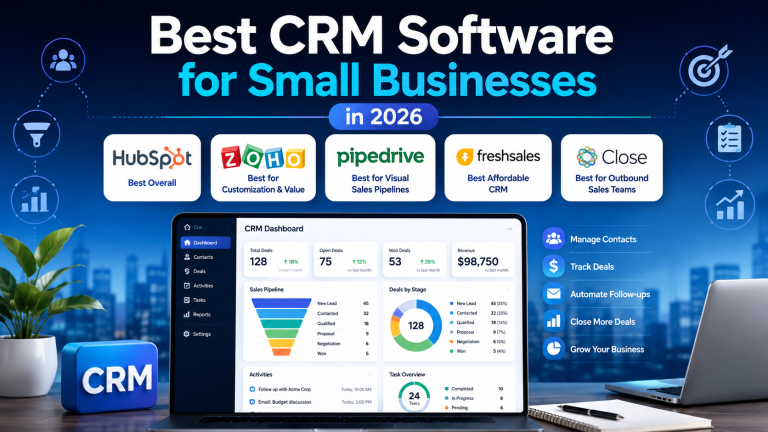
If you are evaluating CRM software for a small team, start with our Best CRM Software for Small Businesses 2026 guide.

CRM Automation

CRM automation can reduce repetitive sales work by automatically assigning leads, updating deal stages, creating follow-up tasks, sending notifications, and triggering workflows based on customer activity.

More advanced platforms may also connect CRM automation with email marketing, lead scoring, customer journeys, and sales forecasting.

CRM for Growing Sales Teams

As sales teams grow, CRM requirements become more complex. Businesses may need advanced reporting, team permissions, sales forecasting, workflow automation, integrations, custom fields, and more detailed pipeline management.

Platforms such as Salesforce, HubSpot, Pipedrive, Freshsales, Zoho CRM, and Close approach these needs differently, so the best choice depends on team structure, sales process, budget, and technical requirements.

Pipeline Management Tools

Pipeline management is one of the core functions of a CRM. Sales teams use pipelines to track opportunities as they move from initial contact to qualification, proposal, negotiation, and closed deals.

A strong pipeline tool should make it easy to see the status of every opportunity, identify stalled deals, assign responsibilities, and understand the overall health of the sales process.

For teams that prioritize visual pipelines and straightforward deal management, comparisons such as Close vs Pipedrive can help clarify the differences between sales-focused CRM platforms.

How We Compare CRM Software

AppBase360 CRM comparisons focus on the practical differences that affect sales teams and business workflows.

Depending on the platforms being compared, we evaluate:

  • Contact management
  • Lead management
  • Sales pipelines
  • Automation
  • Email integration
  • Reporting and dashboards
  • Sales forecasting
  • Customization
  • Integrations
  • Ease of use
  • Mobile access
  • Pricing and plan structure
  • Scalability
  • Best use cases
  • Advantages and limitations

Choose the Right CRM Platform

The best CRM depends on the size of the business, the complexity of the sales process, the number of users, and the level of automation required. Small teams may prefer a simple and focused CRM, while larger organizations may require advanced reporting, customization, integrations, and enterprise-level controls.

Browse the comparisons in this category to find CRM software that matches your sales process, team size, budget, and growth strategy.