Best CRM Software for Small Businesses in 2026
Managing customer relationships becomes difficult surprisingly quickly.
A business may begin with a spreadsheet containing a few prospects and customers. As sales grow, that spreadsheet turns into multiple files, forgotten follow-ups, scattered emails, missing notes, and opportunities that nobody remembers to contact.
That is where CRM software becomes valuable.
The best CRM software for small businesses should make it easier to organize contacts, track deals, manage follow-ups, understand the sales pipeline, and keep customer information accessible without requiring a dedicated CRM administrator.
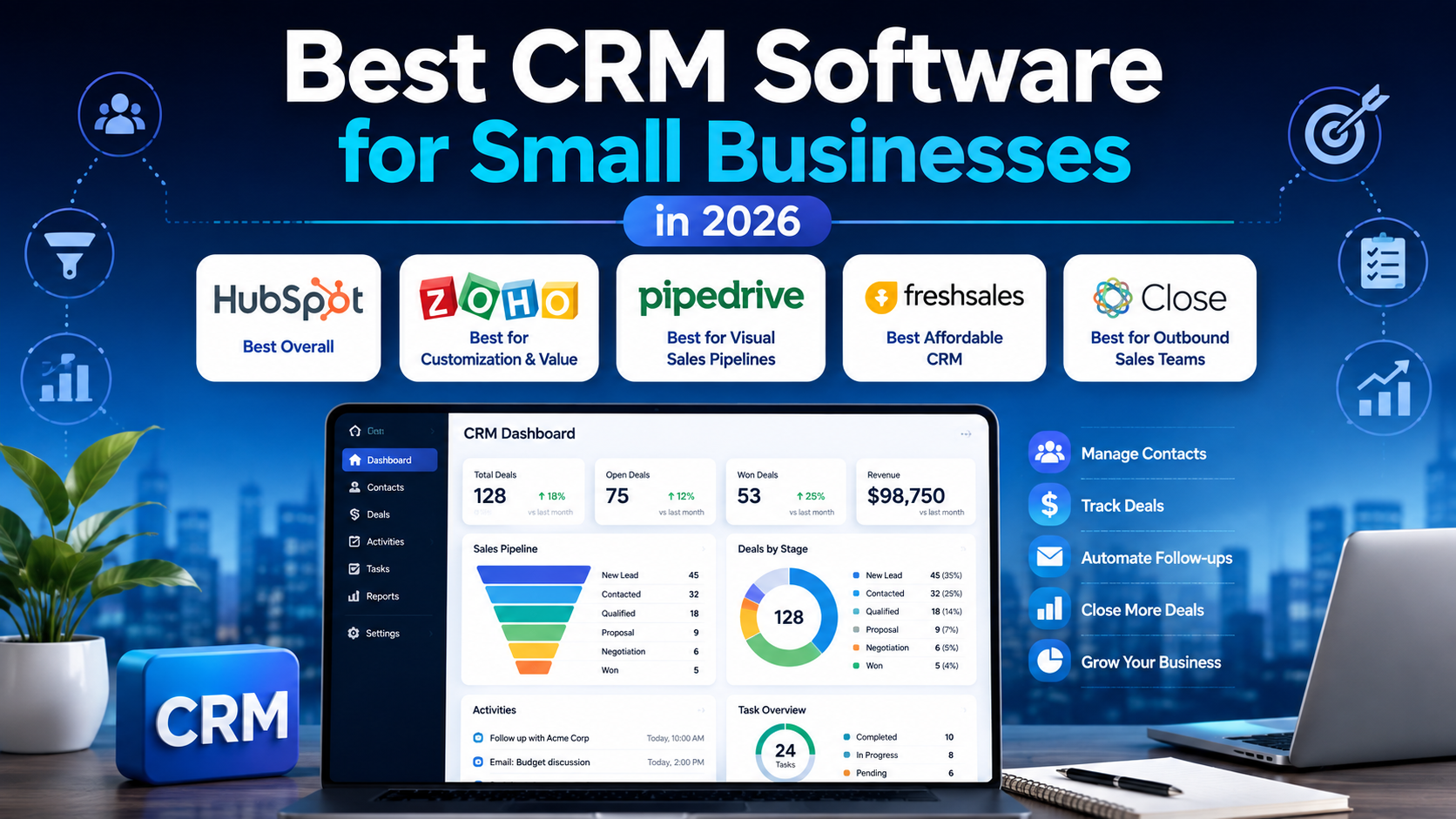
In this guide, we compare five strong CRM options for small businesses in 2026: HubSpot CRM, Zoho CRM, Pipedrive, Freshsales, and Close.
Quick Verdict
For most small businesses starting with CRM software, HubSpot CRM is our best overall choice because its free tier provides a practical entry point and the broader HubSpot platform allows businesses to expand into sales, marketing, and customer service tools later.
Zoho CRM is particularly attractive for businesses that want strong customization at relatively affordable paid pricing.
Pipedrive is one of the best choices for sales-focused teams that want a clean and visual pipeline.
Freshsales offers competitive pricing and combines CRM, email, phone, chat, and AI-related capabilities.
Close is especially compelling for outbound sales teams because calling, email, SMS, and sales workflows are built directly into the CRM.
Best CRM Software at a Glance
| CRM | Best For | Free Plan | Starting Paid Plan* |
|---|---|---|---|
| HubSpot CRM | Best overall | Yes | Varies by package |
| Zoho CRM | Customization and value | Yes | $14/user/month |
| Pipedrive | Visual sales pipelines | Trial | $14/user/month |
| Freshsales | Affordable sales CRM | Yes | $9/user/month |
| Close | Outbound sales teams | Trial | $9/user/month |
*Prices shown are based on annual billing where applicable and may change. Always confirm current pricing with the provider before purchasing.
1. HubSpot CRM — Best Overall for Small Businesses
HubSpot CRM is one of the easiest CRM platforms for a small company to begin using without making a large financial commitment.
Its free CRM tools include contact management, deal pipelines, CRM imports, reporting dashboards, and other foundational sales features. HubSpot currently lists its free tools at $0 for up to two users.
Why small businesses may like HubSpot
The main advantage is that HubSpot can grow with a company.
A small team can begin with contact management and a basic sales pipeline, then later add more advanced sales, marketing, customer support, content, and automation capabilities.
This is useful for businesses that want to avoid moving all of their customer data to a completely different platform as they grow.
HubSpot also has a relatively approachable interface compared with many enterprise CRM systems.
Where HubSpot becomes expensive
HubSpot pricing becomes more complicated when a company moves beyond the free and Starter levels.
Advanced Professional and Enterprise products can cost substantially more than entry-level CRM tools, especially when multiple hubs, users, marketing contacts, and onboarding fees are involved.
For that reason, small businesses should evaluate not only what HubSpot costs today but what their likely configuration will cost after growth.
Best for
Startups, service businesses, agencies, and growing small companies that want an easy entry point and a larger ecosystem they can expand into.
Related comparisons: HubSpot CRM vs Zoho CRM, Salesforce vs HubSpot CRM
2. Zoho CRM — Best for Customization and Value
Zoho CRM provides a broad set of CRM features while maintaining relatively accessible pricing for small and growing teams.
Zoho’s current pricing calculator lists Standard at $14 per user per month, Professional at $23, Enterprise at $40, and Ultimate at $52 when using the annual pricing structure displayed by Zoho.
Why small businesses may like Zoho CRM
Zoho CRM is highly configurable.
Businesses can adapt fields, modules, processes, pipelines, and automation to fit their own sales process rather than forcing employees to work exactly the way the software was designed.
Another advantage is Zoho’s broader ecosystem.
Businesses using Zoho Books, Zoho Desk, Zoho Campaigns, or other Zoho applications can create a more connected operating environment.
Potential downside
The amount of customization available can create a steeper setup process than a simpler CRM.
A very small business that only needs contacts and a straightforward deal pipeline may find Pipedrive or HubSpot easier to start with.
Best for
Small businesses that want strong CRM customization without immediately moving to enterprise-level pricing.
Related comparison: HubSpot CRM vs Zoho CRM
3. Pipedrive — Best for Visual Sales Pipeline Management
Pipedrive focuses heavily on helping sales teams manage deals through a clear visual pipeline.
For teams that think in terms of leads moving from one stage to another, this approach can be easier to understand than a CRM packed with dozens of unrelated modules.
Pipedrive currently lists its Lite plan at $14 per seat per month when billed annually. Growth is $39, Premium $59, and Ultimate $79 per seat per month on annual billing.
Why small businesses may like Pipedrive
Pipedrive keeps the core sales process visible.
A typical pipeline might look like:
New Lead → Qualified → Proposal Sent → Negotiation → Won
Sales representatives can immediately see which deals need attention.
The Lite plan includes pipeline management, leads, contacts, calendar functionality, AI-powered reporting, and hundreds of integrations. Higher plans add email synchronization, automations, sequences, forecasting, and more advanced sales capabilities.
Potential downside
Pipedrive is primarily sales-focused.
Businesses looking for a broad marketing, customer support, CMS, and CRM platform under one vendor may prefer HubSpot or another larger ecosystem.
Best for
Sales-driven small businesses, agencies, B2B companies, and teams that want a simple and visual deal-management system.
Related comparisons: Pipedrive vs Freshsales, Close vs Pipedrive
4. Freshsales — Best Affordable CRM for Growing Teams
Freshsales is Freshworks’ CRM platform and combines traditional sales management with communication and AI-related capabilities.
The free Freshsales plan currently supports up to three users. Growth costs $9 per user per month when billed annually, while Pro is $39 and Enterprise is $59 per user per month.
Why small businesses may like Freshsales
The pricing is competitive, particularly at the Growth tier.
Freshsales includes features such as contact and account management, lifecycle stages, Kanban views, sales activities, and pipeline management.
The broader Freshsales Suite can also combine email, chat, and phone functionality alongside CRM features.
That makes it attractive for companies that want several customer-facing tools without immediately paying premium CRM prices.
Potential downside
Freshsales does not have the same brand recognition or ecosystem depth as some larger CRM competitors.
Businesses already heavily invested in another software ecosystem may get more value from choosing a CRM that integrates more naturally with their existing tools.
Best for
Startups and small sales teams looking for good value and a combination of CRM and communication features.
Related comparison: Pipedrive vs Freshsales
5. Close — Best for Outbound Sales Teams
Close takes a different approach from many general-purpose CRMs.
It focuses heavily on sales communication and brings calling, email, SMS, pipeline management, and automation into the same environment.
Close currently lists its Solo plan at $9 per user per month when billed annually. Essentials is $35, Growth $99, and Scale $139 per user per month on annual billing.
Why small businesses may like Close
For outbound sales teams, switching constantly between a CRM, dialer, email platform, SMS tool, and sales automation software creates friction.
Close attempts to reduce that by integrating those workflows.
The Essentials plan includes unlimited contacts and leads, team collaboration, built-in forms, email, calling, SMS, an inbox, and task management. More advanced plans add workflows, dialing features, permissions, and additional automation.
Potential downside
Close may be overkill for businesses that do little outbound selling.
A consultancy or local business that mainly needs customer records and occasional follow-ups could get more value from a simpler CRM.
Best for
Outbound sales teams, lead-generation agencies, B2B sales organizations, and businesses where representatives spend significant time calling and emailing prospects.
Related comparison: Close vs Pipedrive
How to Choose the Best CRM Software for Small Businesses
Choosing a CRM should begin with your sales process, not a feature checklist.
A CRM with hundreds of capabilities is not useful if employees find it too difficult to maintain.
Start With Your Sales Pipeline
Write down the stages a customer typically moves through.
For example:
New Lead → Contacted → Qualified → Proposal → Negotiation → Customer
Your CRM should make those stages easy to track.
If employees cannot immediately understand what needs attention, the system will gradually stop being used.
Consider Ease of Adoption
The best CRM software for small businesses should reduce administrative work rather than create more of it.
Ask:
- How quickly can a new employee learn the platform?
- How many clicks are required to update a deal?
- Can emails and activities be recorded automatically?
- Does the CRM work well on mobile?
- Can employees find customer history quickly?
A simpler system that employees update consistently is usually more valuable than a sophisticated system containing outdated information.
Evaluate Automation
CRM automation becomes increasingly valuable as a business grows.
Useful examples include:
- Creating a follow-up task after a meeting
- Assigning leads automatically
- Sending reminder emails
- Updating deal stages
- Creating recurring activities
- Alerting sales managers about stalled opportunities
Automation should eliminate repetitive work without making the sales process unnecessarily complicated.
Check Email and Communication Features
Many sales activities happen outside the CRM.
Employees communicate through email, phone calls, meetings, and messaging tools.
A CRM that automatically records these interactions can save significant administrative time.
If outbound communication is central to your business, platforms such as Close or higher Pipedrive plans may be particularly attractive.
Review Integrations
Check whether the CRM connects with software your business already uses.
Important integrations may include:
- Gmail
- Outlook
- Google Calendar
- Microsoft 365
- Slack
- Accounting software
- Marketing platforms
- Customer support software
- Form builders
- Automation tools
A CRM should become the center of customer information rather than another isolated database.
Calculate the Cost as Your Team Grows
Per-user pricing can look inexpensive when a company has three employees.
It looks very different with 20.
For example, a $40-per-user subscription becomes $800 per month for 20 paid users before considering add-ons or other software.
Evaluate what you are likely to pay at your expected team size, not just today’s team size.
Free CRM vs Paid CRM
A free CRM can be enough for a very small company.
HubSpot and Freshsales both provide free entry-level options, while Zoho also offers a free CRM tier.
Free plans are particularly useful for learning whether employees will actually adopt a CRM.
Paid plans become more important when businesses need:
- More automation
- Advanced permissions
- Multiple pipelines
- Forecasting
- Deeper reporting
- Email sequences
- Customization
- More users
- Advanced integrations
Do not upgrade just because a paid feature sounds impressive.
Upgrade when it solves a measurable problem.
Which CRM Is Best for Different Small Businesses?
Best CRM for a New Small Business
HubSpot CRM
The free tier lowers the barrier to entry, and businesses can expand into other HubSpot tools later.
Best CRM for Sales Teams
Pipedrive
Its visual pipeline and sales-focused interface make it easy to understand deal progress.
Best CRM for Custom Workflows
Zoho CRM
Its customization capabilities allow businesses to adapt the platform to more complex processes.
Best CRM for a Tight Budget
Freshsales
Its $9-per-user Growth pricing on annual billing is competitive for small teams that need more than a basic CRM.
Best CRM for Outbound Sales
Close
Built-in calls, email, SMS, and sales workflows make it particularly suitable for high-activity outbound teams.
Frequently Asked Questions
What is the best CRM software for a small business?
For many small businesses, HubSpot CRM is one of the strongest starting points because it offers a usable free tier and a large ecosystem for future growth.
However, Pipedrive may be better for sales-focused teams, Zoho CRM for customization, Freshsales for value, and Close for outbound selling.
What is the easiest CRM to use?
Pipedrive and HubSpot are both relatively approachable for small teams.
Pipedrive is especially easy to understand for companies that primarily want to track deals through a sales pipeline.
Is there a completely free CRM?
Several CRM providers offer free tiers.
HubSpot provides free foundational CRM tools for up to two users, while Freshsales currently offers a free tier for up to three users.
Free plans usually have feature or user limitations compared with paid versions.
Is HubSpot better than Zoho CRM?
HubSpot is generally easier to start with and provides a broader integrated marketing, sales, service, and content ecosystem.
Zoho CRM offers strong customization and can provide attractive value for businesses that need more control over their CRM structure.
The better option depends on your workflow.
Is Pipedrive good for small businesses?
Yes.
Pipedrive is particularly well suited to small businesses with a defined sales process and employees who need to understand deal status quickly.
When should a small business start using CRM software?
A business should consider CRM software when customer information begins to become difficult to manage reliably through spreadsheets, inboxes, or personal notes.
You do not need hundreds of customers before implementing a CRM.
Starting early can prevent customer data from becoming fragmented as the business grows.
Final Verdict
For most small businesses adopting a CRM for the first time, HubSpot CRM is our best overall recommendation.
Its free entry point makes experimentation easy, while the broader platform offers room to expand.
But different businesses have different priorities.
Choose Zoho CRM if customization and value are most important.
Choose Pipedrive if your business revolves around managing a visual sales pipeline.
Choose Freshsales if you want competitive pricing and useful sales communication features.
Choose Close if outbound calls, emails, SMS, and high-activity sales workflows are at the center of your sales strategy.
The best CRM is not necessarily the platform with the most features.
It is the one your team consistently updates and uses to make better sales decisions.